Cooktop Instructions
The Ceramic Glass Cooktop is designed for everyday convenience, featuring intuitive slider touch controls for easy heat adjustment and a smooth, wipe-clean surface that keeps your kitchen looking neat with minimal effort.
Instructions:
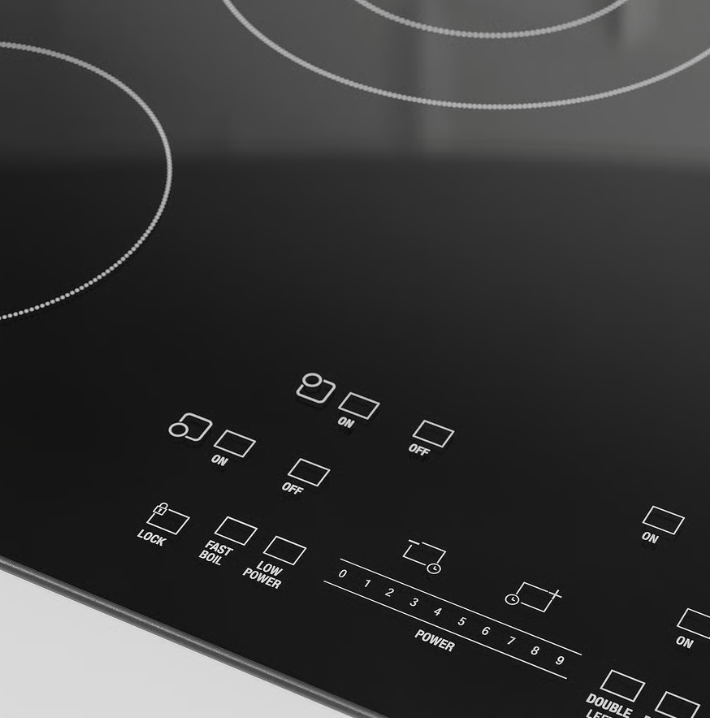
1- Its probably locked when you first arrive. Just hold the lock button on bottom left until it beeps. You can repeat this to re-lock the touch controls.
2- Once unlocked, choose the burner of choice, and press the “on” button. Then use the slider to adjust the power.
3- To ensure everything is properly off, make sure there are no red indicators on the panel.
4- Clean after every use with a soft paper towel. Do not use abrasive pads or the glass with scratch. Keep items off the glass when not in use.
 The Emerald NYC